We recently held the last technology club meeting of the school year. To celebrate, we ate pizza and made paper circuits!
I scoured the internet for directions on making paper circuits and found many great ideas. However, I wasn't sure how much time we would have after the pizza party. So I decided to start with a very simple circuit, providing lots of guidance. The students who completed their circuit quickly were able to create their own second circuit.
To prepare for this activity, I prepared a baggie of materials for each student. The baggie included a 5mm LED light, about 18 inches of adhesive copper tape, a CR2032 coin cell battery, a medium binder clip, a template for creating the circuit (with a small hole for the LED light), and a 4x6 print of Van Gogh's Starry Night (with a small hole for the LED light). The template was hand-drawn and copied for students and included lines where the copper tape should be and marks for the
We began with a discussion of circuits. Students knew that they needed a power source and a conductor to complete the circuit. I showed them the materials in the baggie and asked them to identify the power source and conductor. Then students watched as I demonstrated each of the steps under a document camera on the Promethean Board. Last, students were given a baggie and they split into groups to being creating.
Here are the directions students were given.
1. Push the LED light through the hole in the template. Carefully pull apart the leads and lay them flat along the template's lines.
2. Pull the backing off of a few inches of the copper tape. Gently press the copper tape along the template's lines. Be sure to cover each of the leads and cut the tape on each side of the LED light.
3. Fold over one corner of the template so that the battery is between the fold and the template. The battery should touch the copper tape on both sides. Use the binder clip to keep the battery from slipping.
4. Place the Starry Night print on top of the LED light so that the light shines through one of the stars.
Now that students have created their first paper circuit, I look forward to seeing other circuits inspired by this activity!
Friday, March 25, 2016
Monday, February 8, 2016
Bethany Hegedus Author Visit
Author Bethany Hegedus visited my school on February 4! Her book Grandfather Gandhi, co-written by Arun Gandhi, is on this year's Georgia Children's Picturebook Award nominee list. Grandfather Gandhi is the true story of 12 year old Arun, who is the fifth grandson of Mahatma Gandhi. In the book, Arun's family has come to live at his grandfather's ashram. Arun is quick to anger and finds it difficult to live up to his family's name. Gandhi teaches Arun that anger is like electricity - it can strike like lightning and split a living tree or it can be channeled to shed light like a lamp.
Our students had limited knowledge of Mahatma Gandhi before reading this book, so when each class came to the media center for a lesson prior to Ms. Hegedus's visit, we read and discussed the Pebble Go article about him. Building their background knowledge of Mahatma Gandhi helped them to understand the book and the lessons that Arun learned from his grandfather.
During her presentation, Ms. Hegedus talked to students about becoming a writer, how she met Arun, and how students can be the light in the world. Dr. Gandhi was not able to travel to our school, but he videotaped a message for our students and we played it during the presentation.
Ms. Hegedus asked students to take the "Be the Light" pledge, encouraging them to use their anger in a positive way. I know that our students and staff who attended this presentation were very inspired to be the light in the world!
"Be the change that you wish to see in the world."
-Mahatma Gandhi
Sunday, November 8, 2015
Jurassic Park Sources of Information
I recently collaborated with my second grade teachers on a dino-mite lesson to teach sources of information! We were inspired by Hope and Wade King, who used Jurassic Park as the setting of an integrated lesson they taught their sixth graders. Our main goal was to teach students about different sources of information they will be using in research projects this year. However, we also learned reading, deductive reasoning, and group work skills!
A few days before the lesson, I sent each class an invitation to the grand opening of Jurassic Park. The invitation stated the date and time each class was to report. Along with the invitation were tickets for each student.
When students arrived, they found the lights in the media center out and a table with hairnets (cheap shower caps) and headlamps (Wal-Mart tap lights with elastic under the battery cover). I told students that I was so excited for them to be one of the first classes to see Jurassic Park because our paleontologists had been working around the clock to identify the four new dinosaur fossils they were about to see. Before we entered the park, though, students had to put on a hairnet to protect our priceless fossils and a headlamp to see.
Then I scanned their tickets and they entered the park. They were greeted inside the media center with a bus (chairs arranged in rows), a picture of the Jurassic Park gate on the Promethean board, and the sounds of dinosaurs roaring.
As we loaded the bus, I received a phone call from our head paleontologist (the collaborating teacher called my phone without the kids noticing). I told him that I was about to take a group of second graders on the tour but was shocked to find out that his team had lost all of their research and we couldn't take our tour because he didn't know the names of the dinosaur fossils we were about to see I told the students that our only option was to do the research for the scientists so that we could see the fossils and save the park. The kids cheered and were excited to get started.
We divided the kids into four groups and sent them to different stations with a card to write the names of the dinosaurs on as they were uncovered. The stations were set up in advance. Each station contained a dinosaur fossil in a pan, partially covered with dirt. There was also a triboard that had the number of the station, five clues about the dinosaur, and five possible choices. We told the students that our scientists had narrowed it down to those five dinosaurs because they were indigenous to the area in which our fossils was found. There was a different source of information at each station that students used to locate information about each of these five dinosaurs so that they could match up the clues and determine which dinosaur fossil was in the pan. Our sources of information included Pebble Go, Encyclopedia Britannica, media center books, and the PBS Kids Dinosaur Train website.
Students were given ten minutes at each station. There was a parent or teacher at each station to help guide students toward the information if needed. As students completed the last station, we gathered back on the bus. I told students that I had received another call from our head paleontologist, and that he had good news and bad news. The good news was that the research had been found! We would be able to compare our answers with his. The bad news was that a stegosaurus had eaten the research. Fortunately, the scientists had saved the dinosaur dung for us! The collaborating teacher dramatically put on a yellow rubber glove and reached into a bucket of dung (flour, chocolate syrup, and dirt) and pulled out a laminated card with the answers. The teacher called out the dinosaur names and the kids cheered as they learned they had completed the research correctly.
What a fun lesson! The teachers and parents enjoyed it as much as the kids. And our students will never forget what they learned because they were immersed in Jurassic Park as the setting of the lesson.
Wednesday, October 21, 2015
Tomie dePaola Author Study Centers
I was so inspired by Nancy Jo Lambert's post about the Tomie dePaola author study centers she created for her second graders. I love Tomie dePaola's books and decided to do something similar for my first graders! This lesson took about an hour for each class. For the first ten minutes, we talked about how having favorite authors means we can always find a good book to read! I also gave students directions for each center. Then I numbered the students and they spent ten minutes at each center. Last, we cleaned up, returned to the carpet, and talked about our favorite books and where we can find them in our library.
Here are each of the centers that our students rotated through.
Center 1: Meet Tomie on PebbleGo
Center 2: Read Tomie's books
Center 3: View Tomie's books (Choose a book from this Blendspace lesson.)
Center 4: Meet Strega Nona (Watch the Barnes and Noble Strega Nona video, narrated by Tomie himself, and color a Strega Nona puppet.)
Here are each of the centers that our students rotated through.
Center 1: Meet Tomie on PebbleGo
Center 2: Read Tomie's books
Center 3: View Tomie's books (Choose a book from this Blendspace lesson.)
Center 4: Meet Strega Nona (Watch the Barnes and Noble Strega Nona video, narrated by Tomie himself, and color a Strega Nona puppet.)
Tuesday, October 6, 2015
Monster Book Fair
We recently wrapped up our fall book fair. Scholastic's fall theme is Monster Book Fair. We transformed the media center into the Monsters University campus! And added lots of little monsters everywhere. The materials for decorations were very inexpensive. We made monsters out of copy paper boxes and large cans donated by the cafeteria After setting up the books and decorations, I held a teacher preview after school. Teachers snacked on pizza and monster cupcakes. They also created wish lists of books they would like to have donated to their classroom libraries. During this book fair, we held four family events: an All Pro Dads breakfast, two grandparent celebrations, and Family Fitness Night. One of the most popular features of this book fair was the photo booth! I purchased a Monsters University backdrop from Party City and put a table full of props next to it. I couldn't see the photo booth from inside the media center, but I know it was used because I saw the pictures on Facebook all week! This was by far our most profitable book fair ever! I'm looking forward to spending the money we earned on new books for the library, an upcoming author visit, and materials for our Makerspace!
Monday, June 1, 2015
Top Ten Books of 2014-2015
Here are the top ten circulated titles during the 2014 - 2015 school year at my K-6 elementary school.
10. Diary of a Wimpy Kid: Cabin Fever by Jeff Kinney
9. Three Times Lucky by Sheila Turnage
8. Mountain Dog by Margarita Engle
7. Chomp by Carl Hiaasen
6. Ungifted by Gordon Korman
5. The False Prince by Jennifer A. Nielsen
4. Rump: The True Story of Rumpelstiltskin by Liesl Shurtliff
3. One for the Murphys by Lynda Mullaly Hunt
2. Michael Vey: The Prisoner of Cell 25 by Richard Paul Evans
1. Eight Keys by Suzanne LaFleur
10. Diary of a Wimpy Kid: Cabin Fever by Jeff Kinney
9. Three Times Lucky by Sheila Turnage
8. Mountain Dog by Margarita Engle
7. Chomp by Carl Hiaasen
6. Ungifted by Gordon Korman
5. The False Prince by Jennifer A. Nielsen
4. Rump: The True Story of Rumpelstiltskin by Liesl Shurtliff
3. One for the Murphys by Lynda Mullaly Hunt
2. Michael Vey: The Prisoner of Cell 25 by Richard Paul Evans
1. Eight Keys by Suzanne LaFleur
Thursday, May 7, 2015
Previewing the Georgia Children's Book Award Nominees with Aurasma
Each spring, my fourth, fifth, and sixth graders eagerly anticipate the announcement of next year's Georgia Children's Book Award nominees. I love how my students swap copies of the books, discuss their favorite parts, and debate the best titles. To generate excitement for next year's books and promote the titles for summer reading, I created a preview activity.
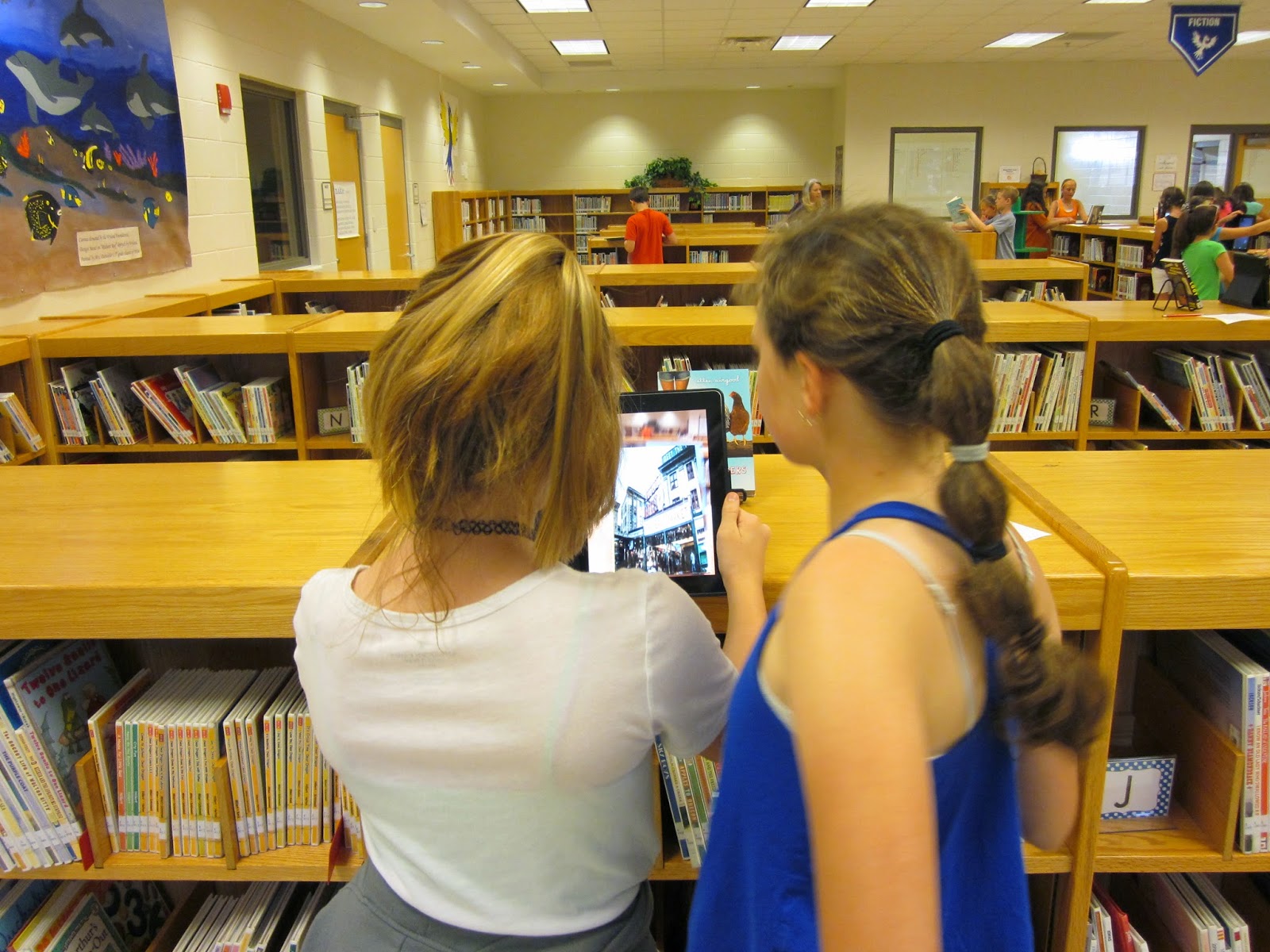
I used cover images as the trigger images. For the overlays, I used book trailers that I created or downloaded from You Tube. Using Aurasma Studio, I combined the trigger images and overlays into auras so that when the book covers are scanned, the trailer appears and plays. To prepare the media center for this activity, I placed a copy of each title on book stands around the media center. I also created and copied a list of the books.
When students arrived in the media center, we talked about how movie trailers get us excited about movies that are coming out soon. I told them that they would be viewing book trailers that would tell them about next year's Georgia Children's Book Award nominees. I gave each student a pencil and list of books to make notes on. Students shared iPads in pairs. They were then encouraged to scan the book covers and watch the previews for as many books as time allowed. Before students left, we met again as a whole group where students shared the books they were most excited about and why. My students are now anxious to being reading next year's book list!
I used cover images as the trigger images. For the overlays, I used book trailers that I created or downloaded from You Tube. Using Aurasma Studio, I combined the trigger images and overlays into auras so that when the book covers are scanned, the trailer appears and plays. To prepare the media center for this activity, I placed a copy of each title on book stands around the media center. I also created and copied a list of the books.
When students arrived in the media center, we talked about how movie trailers get us excited about movies that are coming out soon. I told them that they would be viewing book trailers that would tell them about next year's Georgia Children's Book Award nominees. I gave each student a pencil and list of books to make notes on. Students shared iPads in pairs. They were then encouraged to scan the book covers and watch the previews for as many books as time allowed. Before students left, we met again as a whole group where students shared the books they were most excited about and why. My students are now anxious to being reading next year's book list!
Subscribe to:
Comments (Atom)